
abogen 





Abogen is a powerful text-to-speech conversion tool that makes it easy to turn ePub, PDF, or text files into high-quality audio with matching subtitles in seconds. Use it for audiobooks, voiceovers for Instagram, YouTube, TikTok, or any project that needs natural-sounding text-to-speech, using Kokoro-82M.
Demo
https://github.com/user-attachments/assets/cb66512d-0a52-48c3-bda4-f1e6a03fb8d6
This demo was generated in just 5 seconds, producing ∼1 minute of audio with perfectly synced subtitles. To create a similar video, see the demo guide.
How to install?
Windows
Go to espeak-ng latest release download and run the *.msi file.
# For NVIDIA GPUs:
pip3 install torch torchvision torchaudio --index-url https://download.pytorch.org/whl/cu128
pip install abogen
Alternatively, for an easier setup on Windows:
- Download the repository
- Extract the ZIP file
- Run
WINDOWS_INSTALL.batby double-clicking it
This method handles everything automatically - installing all dependencies including CUDA in a self-contained environment without requiring a separate Python installation. (You still need to install espeak-ng.)
Mac
brew install espeak-ng
pip install abogen # (I have not tested it)
Linux
# Ubuntu/Debian
sudo apt install espeak-ng
# Arch Linux
sudo pacman -S espeak-ng
# Fedora
sudo dnf install espeak-ng
pip install abogen
If you get "No matching distribution found" error, try installing it on supported Python (3.10 to 3.12). You can use pyenv to manage multiple Python versions easily in Linux.
Then simply run by typing:
abogen
How to use?
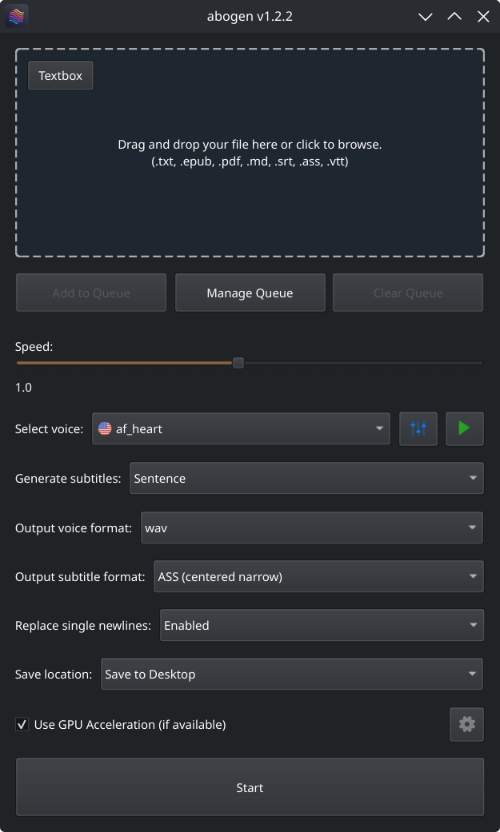
- Drag and drop any ePub, PDF, or text file (or use the built-in text editor)
- Configure the settings:
- Set speech speed
- Select a voice
- Select subtitle generation style (by sentence, word, etc.)
- Select output format
- Select where to save the output
- Hit Start
In action
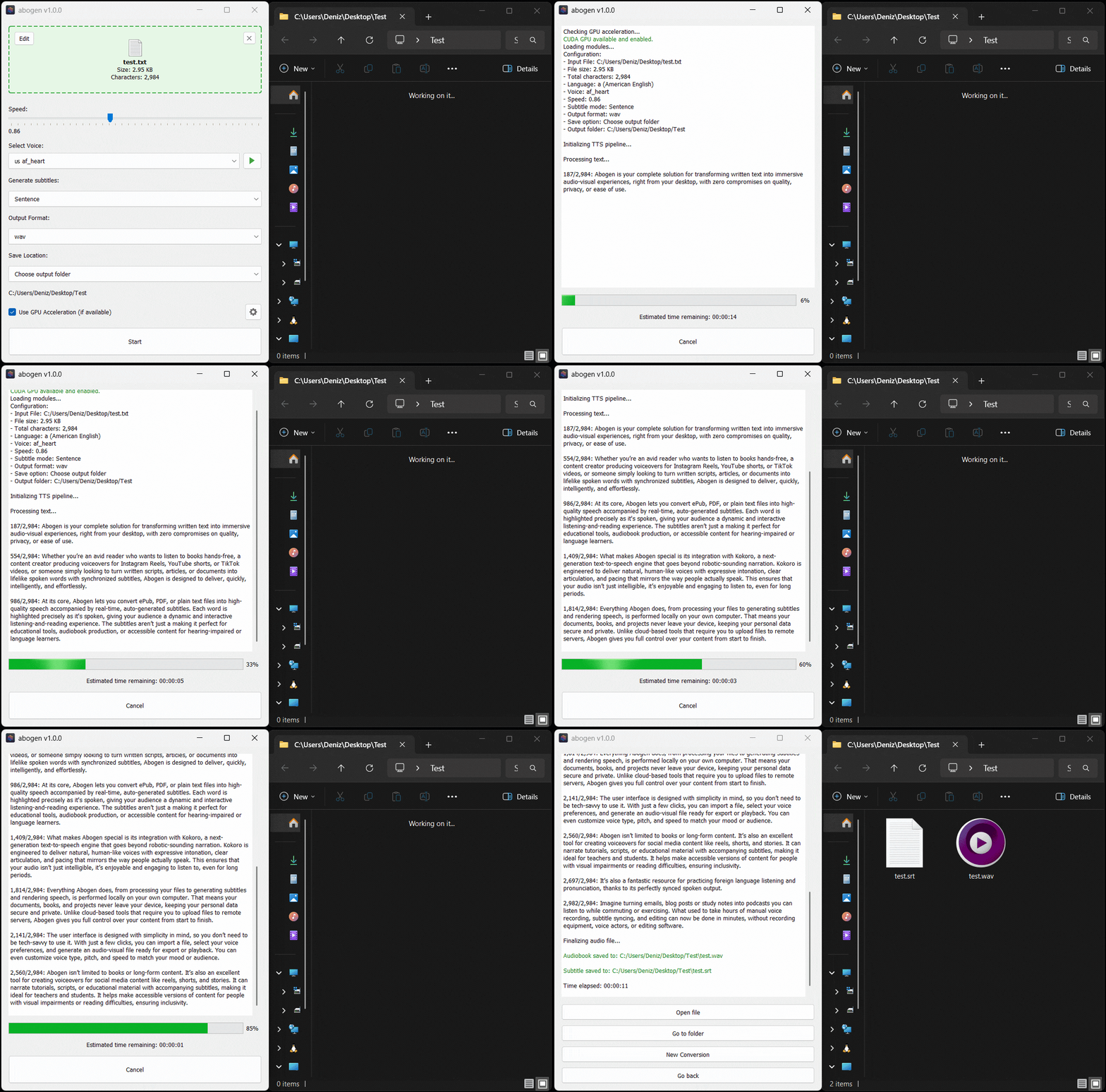
Here’s Abogen in action: in this demo, it processes ∼3,000 characters of text in just 11 seconds and turns it into 3 minutes and 28 seconds of audio, and I have a low-end GTX 2060 Mobile laptop GPU. Your results may vary depending on your hardware.
Key Features
- Supported formats:
ePub,PDF, or.TXTfiles (or use built-in text editor) - Speed: Adjust speech rate from
0.1xto2.0x - Voices: First letter of the language code (e.g.,
afor American English,bfor British English, etc.), second letter is formfor male andffor female. - Generate subtitles:
Disabled,Sentence,Sentence + Comma,1 word,2 words,3 words, etc. (Represents the number of words in each subtitle entry) - Output formats:
.WAV,.FLAC, or.MP3 - Save location:
Save next to input file,Save to desktop, orChoose output folder - Chapter Control: Select specific
chaptersfrom ePUBs orchapters + pagesfrom PDFs. - Options:
- Configure max words per subtitle: Automatically configures the maximum number of words per subtitle entry.
- Create desktop shortcut: Creates a shortcut on your desktop for easy access.
- Open config.json directory: Opens the directory where the configuration file is stored.
- Open temp directory: Opens the temporary directory where converted text files are stored.
- Clear all teporary files: Deletes all temporary files created during the conversion process.
- Check for updates at startup: Automatically checks for updates when the program starts.
- After conversion:
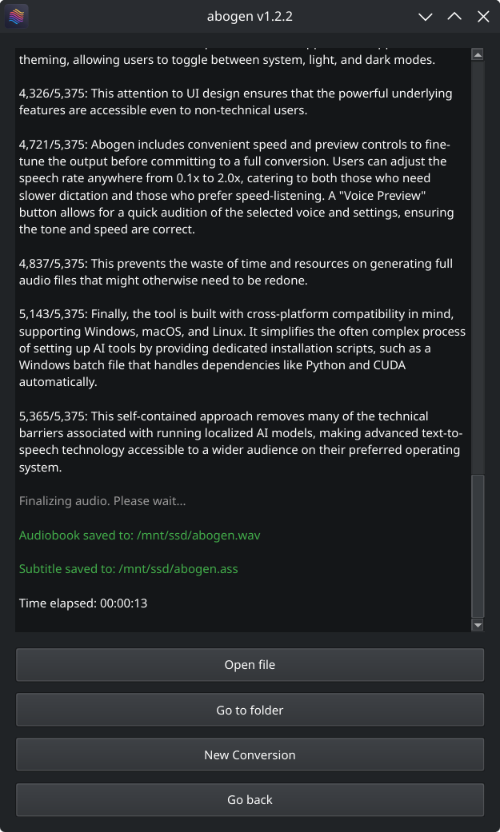
Open file,Go to folder,New conversion, orGo back.
Supported Languages
# 🇺🇸 'a' => American English, 🇬🇧 'b' => British English
# 🇪🇸 'e' => Spanish es
# 🇫🇷 'f' => French fr-fr
# 🇮🇳 'h' => Hindi hi
# 🇮🇹 'i' => Italian it
# 🇯🇵 'j' => Japanese: pip install misaki[ja]
# 🇧🇷 'p' => Brazilian Portuguese pt-br
# 🇨🇳 'z' => Mandarin Chinese: pip install misaki[zh]
For a complete list of supported languages and voices, refer to Kokoro's VOICES.md. To listen to sample audio outputs, see SAMPLES.md.
MPV Config
I highly recommend using MPV to play your audio files, as it supports displaying subtitles even without a video track. Here's my mpv.conf:
save-position-on-quit
keep-open=yes
--audio-device=openal
--sub-margin-x=235
--sub-pos=60
Similar Projects
Abogen is a standalone project, but it is inspired by and shares some similarities with other projects. Here are a few:
- audiblez: Generate audiobooks from e-books. (Has CLI and GUI support)
- autiobooks: Automatically convert epubs to audiobooks
- pdf-narrator: Convert your PDFs and EPUBs into audiobooks effortlessly.
Roadmap
- Improve PDF support for better text extraction.
- Add chapter metadata for .m4a files using ffmpeg-bin.
- Add support for different languages in GUI.
- Add voice formula feature that enables mixing different voice models.
- Add support for kokoro-onnx.
Contributing
I welcome contributions! If you have ideas for new features, improvements, or bug fixes, please fork the repository and submit a pull request.
For developers and contributors
If you'd like to modify the code and contribute to development, you can download the repository, extract it and run the following commands to build or install the package:
# Go to the directory where you extracted the repository and run:
pip install -e .      # Installs the package in editable mode
python -m build       # Builds the package in dist folder
abogen                # Opens the GUI
Feel free to explore the code and make any changes you like.
Credits
Abogen uses Kokoro for its high-quality, natural-sounding text-to-speech synthesis. Huge thanks to the Kokoro project and its contributors for making this possible.
License
This project is available under the MIT License - see the LICENSE file for details. Kokoro is licensed under Apache-2.0 which allows commercial use, modification, distribution, and private use.
Important
Subtitle generation currently works only for English. This is because Kokoro provides timestamp tokens only for English text. If you want subtitles in other languages, please request this feature in the Kokoro project. For more technical details, see this line in the Kokoro's code.
Tags: audiobook, kokoro, text-to-speech, TTS, audiobook generator, audiobooks, text to speech, audiobook maker, audiobook creator, audiobook generator, voice-synthesis, text to audio, text to audio converter, text to speech converter, text to speech generator, text to speech software, text to speech app, epub to audio, pdf to audio, content-creation, media-generation